
How to buy tickets Easy Purchase Guide
How to Obtain J.League ID
-
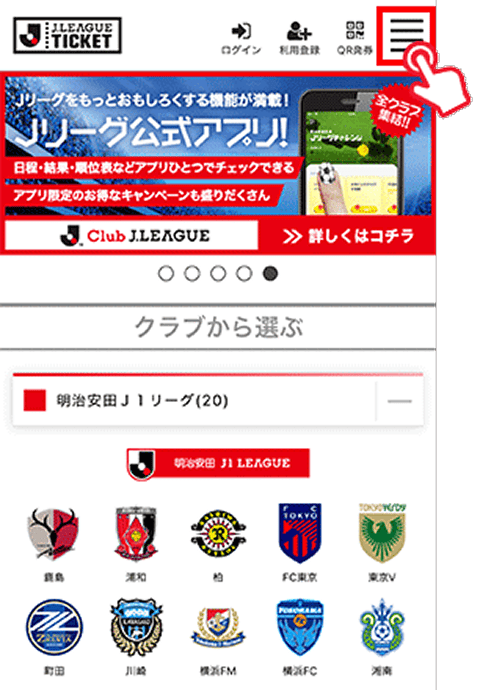
Press the 【Menu】 button in the upper right
-
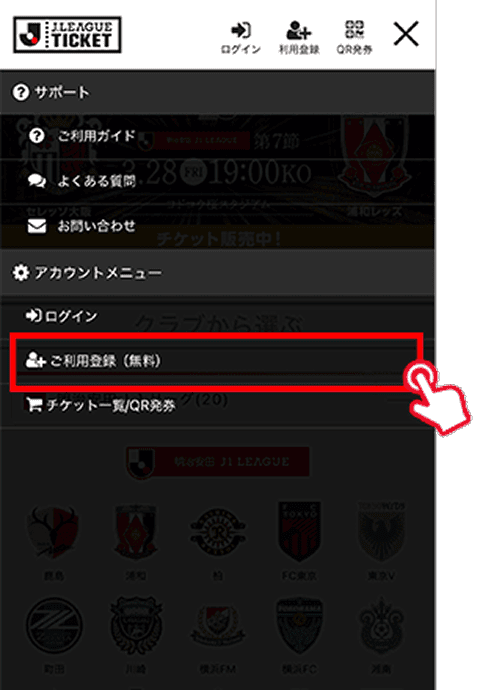
Press [Account Menu] then [Register for Free]
-
Please select your preferred registration method.
-
After entering the required information, press Next
-
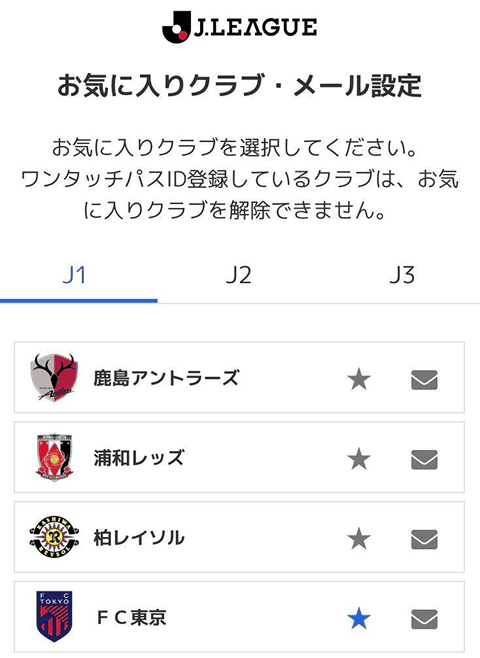
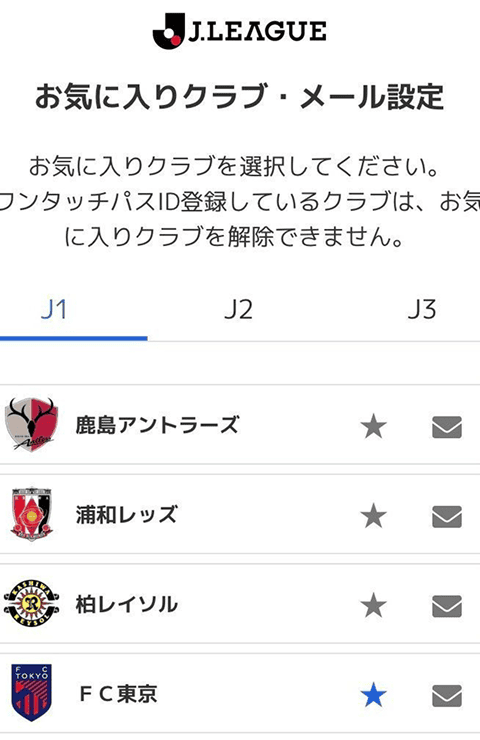
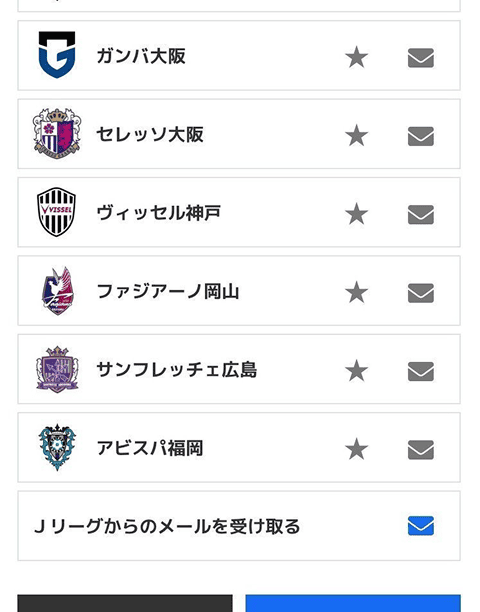
Check 【FC Tokyo】 and press 【Confirm】



How to Purchase Tickets for FC Tokyo
-
Press the match you want to purchase
-
Press the seat type you want to purchase → Select the corresponding category and your preferred ticket issuance method
-
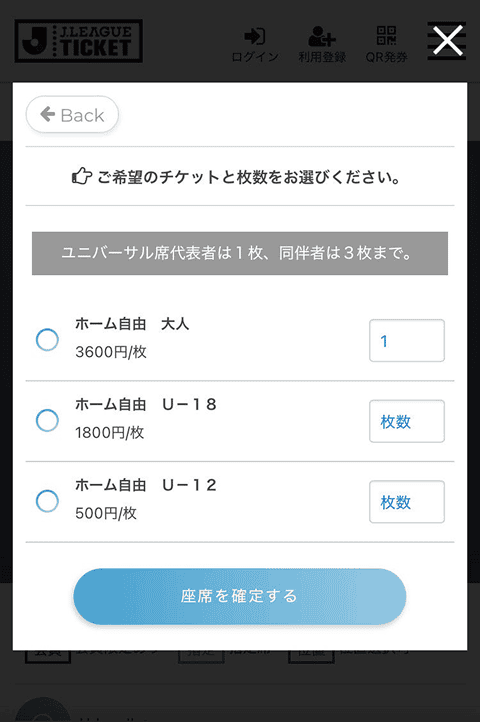
Select the number of tickets you wish to purchase and press [Confirm Seats]
-
Press [Proceed to Purchase]
-
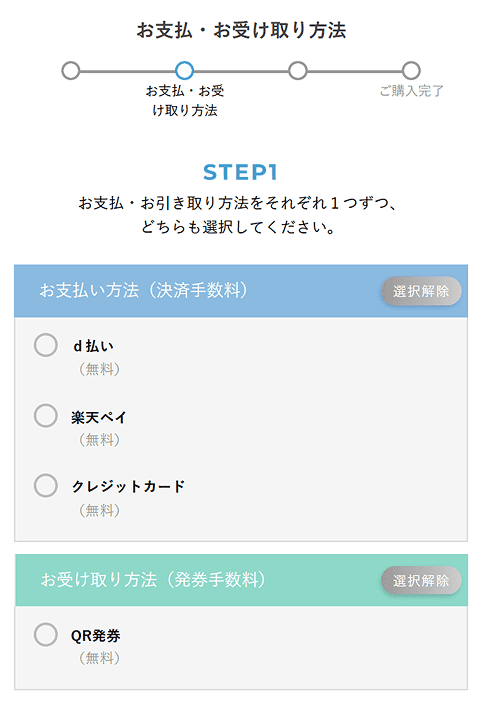
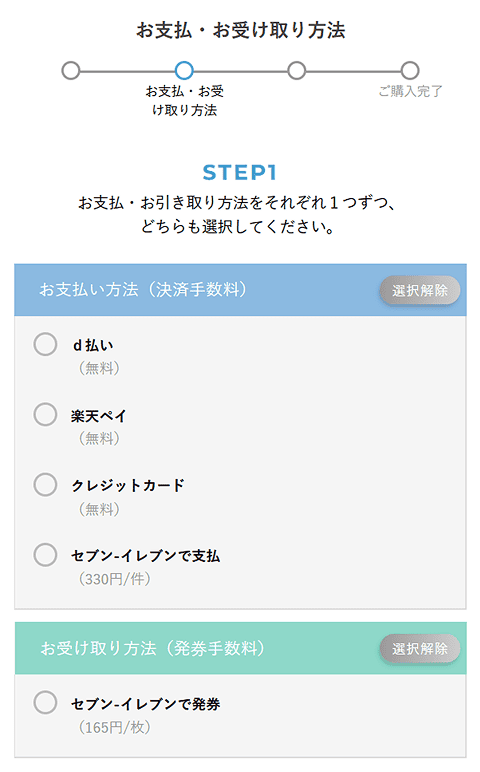
Select your 【Payment Method】 and 【Delivery Method】, then press 【Proceed to Next】
* The available payment methods and ticket delivery options differ between QR tickets and paper tickets.
-
Press [Confirm Purchase]


Preparation for Purchase at Member Price
* SOCIO and OFFICIAL MEMBERSHIP holders can purchase advance tickets at a discounted price by linking their membership number (One-Touch Pass ID) with their J.League ID.
-
Login to the J-League Ticket Site
-
Press the 【Menu】 button in the upper right
-
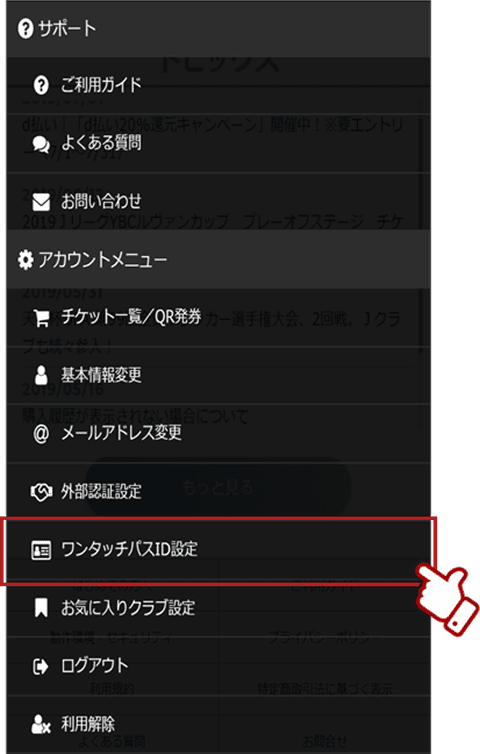
Press the [One-Touch Pass ID Setting]
-
Press [Add One-Touch Pass ID]
-
Select 'FC Tokyo' in [Registered Club], enter your 'Membership Number' in [One Touch Pass ID], and press [Confirm]
* The membership number is the 5-digit number printed on the front of the SOCIO card, or the 10-digit number printed on the back of the OFFICIAL MEMBERSHIP card.
* If an error occurs even after entering the membership number, it is possible that the data registration has not been completed.
We apologize for the inconvenience, but please contact the club. FC Tokyo CRM Department 【TEL】042-444-2630 (Weekdays [Tue-Fri] 10:00–17:00)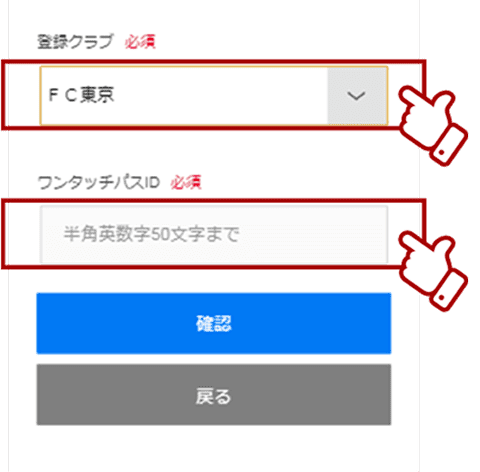
-
Enter the registrant's date of birth in the date of birth field and press [Confirm]
-
Check the displayed information and press [Register]
* The FC member grade name displays the membership grade of either 【SOCIO】 or 【OFFICIAL MEMBERSHIP】 that you applied for.
-
Completed


How to Purchase at Member Price
* Prior preparation for purchase at the discounted price above is required.
-
Press the match you want to purchase
-
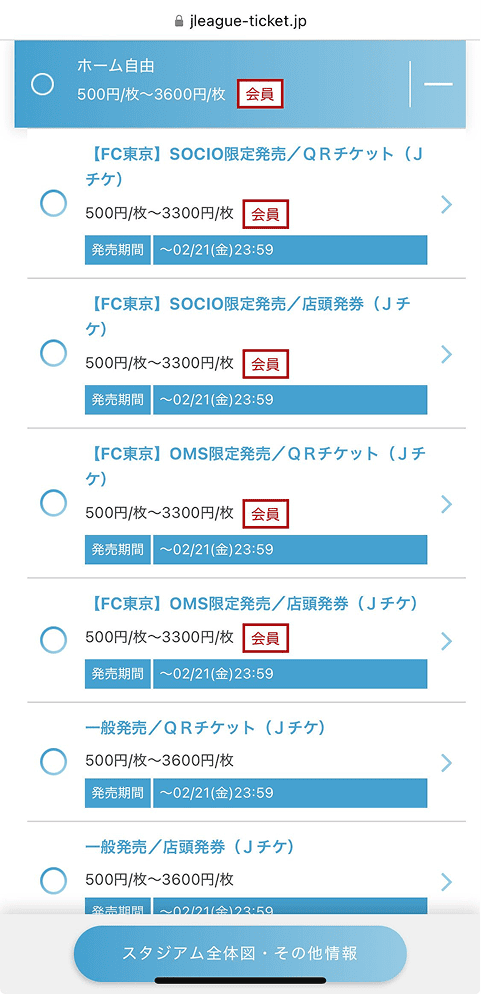
Press the seat type you want to purchase → Select the desired ticket issuance method labeled as Member
-
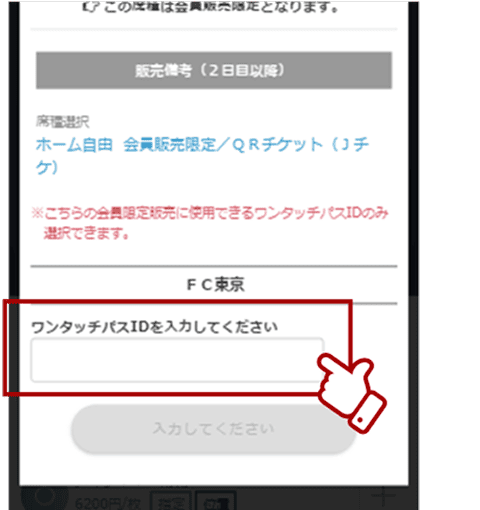
Enter your registered One-Touch Pass ID and press [Next]
* The One-Touch Pass ID is the 5-digit number printed on the front of the SOCIO membership card, or the 10-digit number printed on the back of the OFFICIAL MEMBERSHIP card.
-
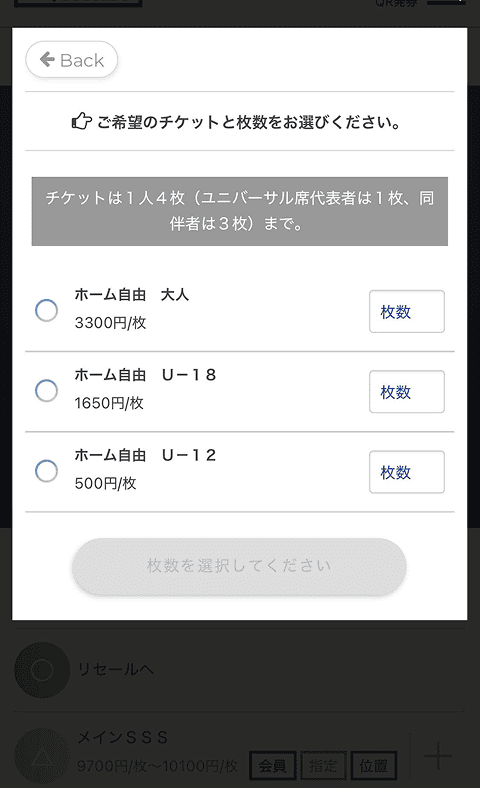
Select the number of tickets you wish to purchase and press [Confirm Seats]
-
Press [Proceed to Purchase]
-
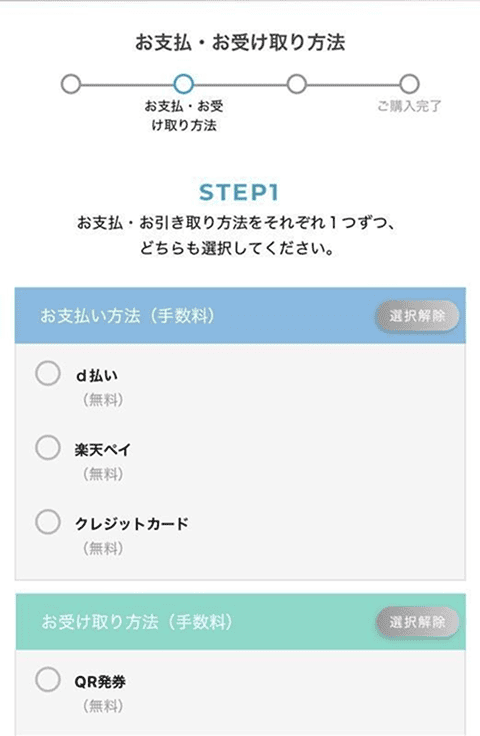
Select your 【Payment Method】 and 【Delivery Method】, then press 【Proceed to Next】
-
Press [Confirm Purchase]


QR Ticket Seat Change Service

-
* For details on the seat change service, please check the J.League Ticket Seat Change Method.
* Please use the member-only page for the SOCIO seat change service.
Transfer and Distribution of QR Tickets

Official Resale Purchase & Listing


How to Enter Directly with QR
* This procedure applies when entering by displaying the QR code after selecting QR ticketing for purchase.
-
Login to the J-League Ticket Site
-
Press the 【Menu】 button in the upper right
-
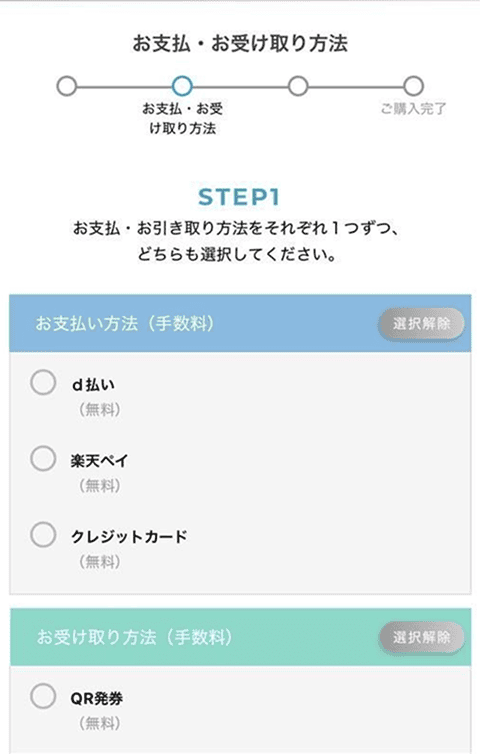
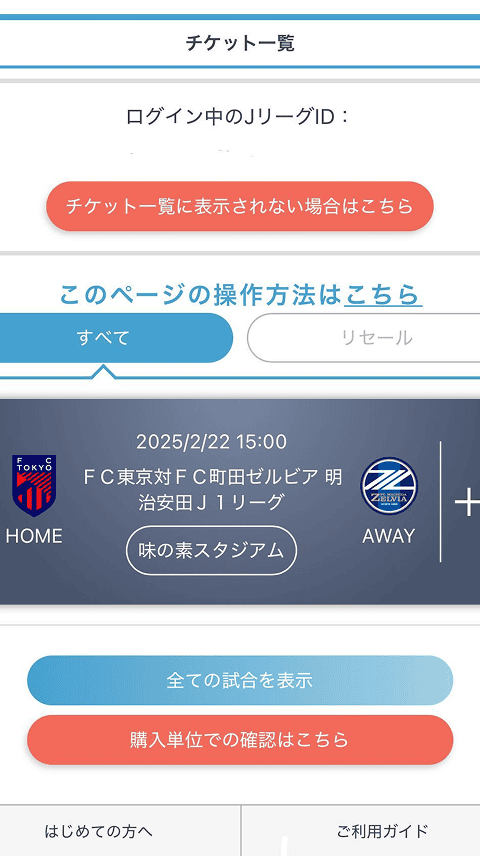
Ticket List / Press QR Issuance
-
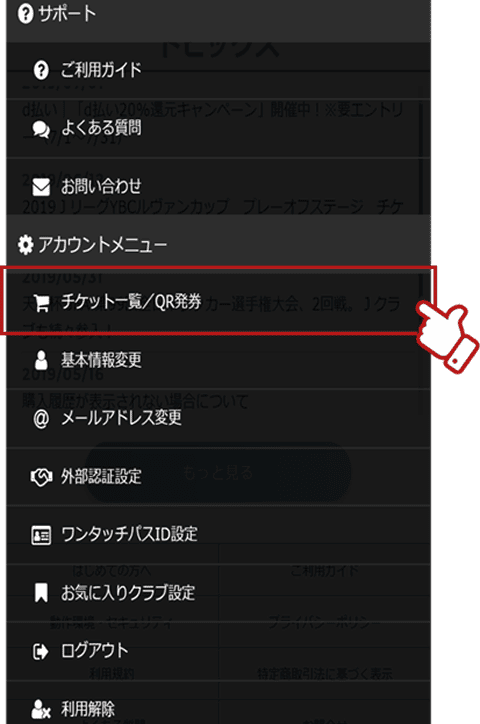
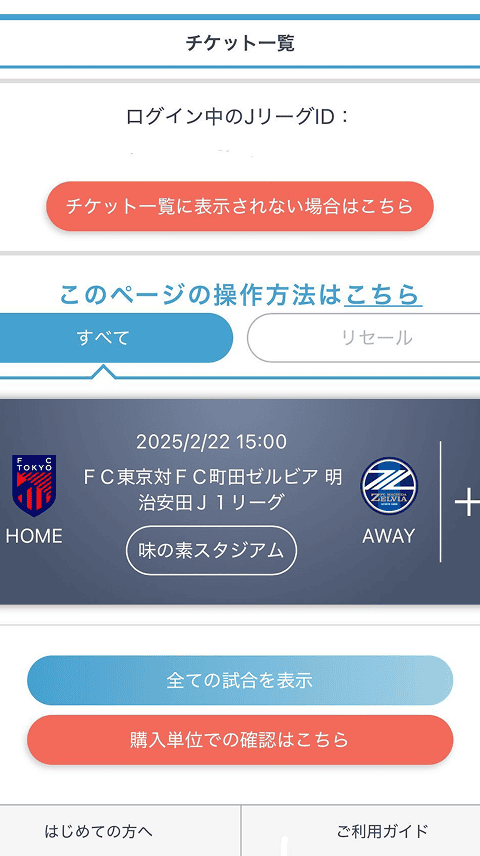
Search for the match you want to issue a QR ticket for
-
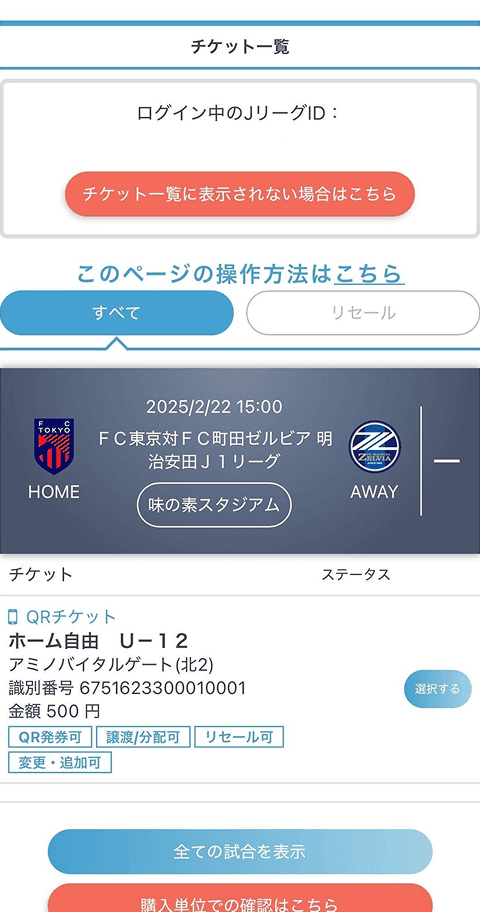
Select the ticket for QR issuance and press 【QR Issuance】 at the bottom of the screen.
-
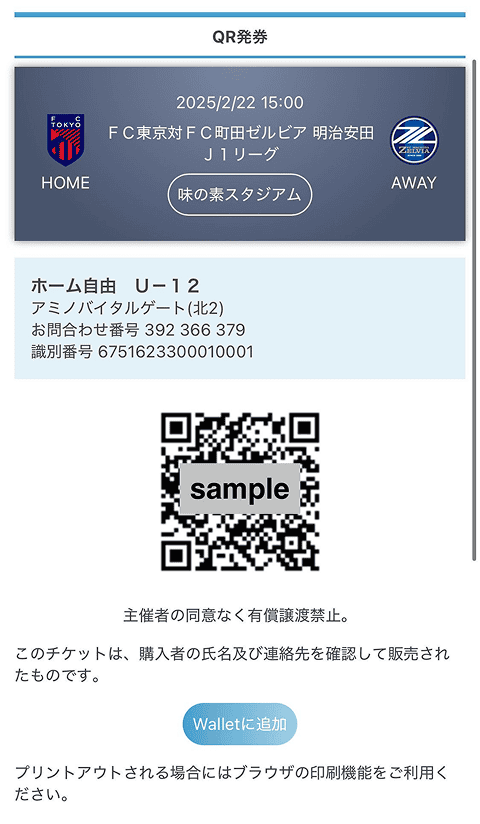
The procedure is complete once the QR ticket is issued
* We recommend saving each screenshot one by one.
-
On match day, just hold up the QR code at the entrance gate!
* Please have your QR code ready before entering. We appreciate your cooperation for a smooth entry.
* If you purchase a same-day ticket, it may take about 15 minutes for the data to be updated.


